Understanding TV Program Guides and Channel Packages
Master the essentials of television scheduling and channel organization for your home entertainment experience
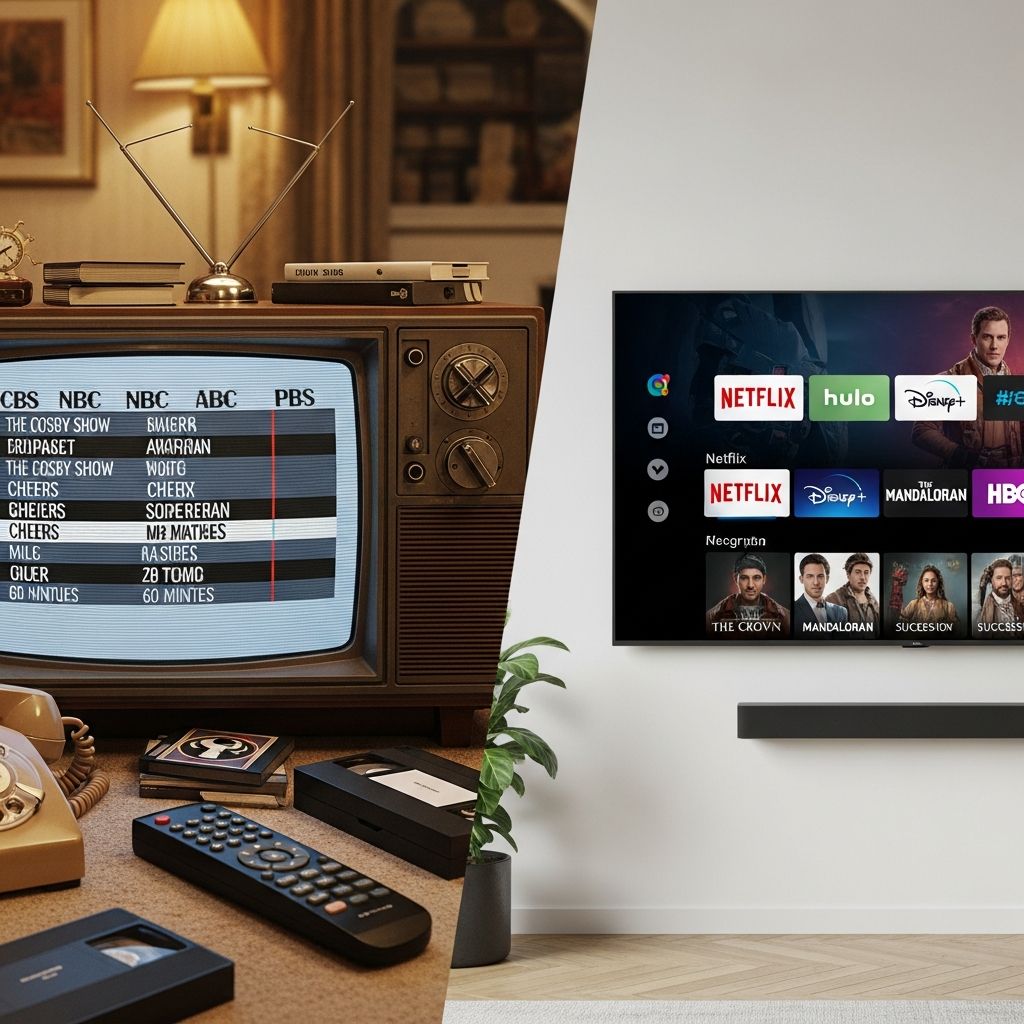
Television viewing has evolved significantly over the past decades, transforming from simple broadcast schedules to complex, interconnected systems of channels, programs, and on-demand content. Despite these technological advancements, many viewers remain unclear about fundamental concepts that govern their television experience. Two particularly important elements that often cause confusion are program guides and channel packages. While these terms are sometimes used interchangeably, they serve distinctly different purposes in your entertainment ecosystem. Understanding the differences between these components can significantly enhance your ability to find content, manage your subscriptions, and optimize your viewing habits.
Defining Program Guides and Their Primary Functions
A program guide represents a comprehensive listing of available television content organized by time, channel, and category. Think of it as a detailed schedule that tells you what is being broadcast at any given moment across your available channels. This tool serves as your window into the current and upcoming television landscape, allowing you to see what programs are airing right now, this evening, tomorrow, or several days into the future. The program guide typically displays program titles, broadcast times, duration, content descriptions, and ratings information.
The primary function of a program guide is informational. It answers the fundamental question: “What can I watch right now?” Whether you’re using a television provider’s on-screen guide interface or accessing content through a digital platform, the program guide aggregates scheduling data from multiple sources to provide you with a centralized view of available programming. This aggregated approach allows viewers to make informed decisions about what to watch without having to check multiple channels individually.
How Program Guides Organize Information
Modern program guides employ sophisticated organizational systems to make content discovery intuitive. They typically feature:
- Chronological arrangement: Programs listed in time order, often showing the current time prominently to help you orient yourself within the schedule
- Channel-based organization: Content sorted by channel number or name, allowing you to navigate through your subscribed channels sequentially
- Category filters: Options to view content by genre such as sports, movies, news, documentaries, or children’s programming
- Search functionality: The ability to search for specific shows, actors, or keywords across the entire program guide
- Recommendation systems: Personalized suggestions based on your viewing history and preferences
Understanding Channel Lineups and Package Structures
In contrast to program guides, a channel lineup refers to the specific collection of channels included in your television service package or subscription. This is fundamentally different from a guide; where a guide tells you what’s on, a lineup tells you what channels you have access to. The channel lineup represents the infrastructure of your television service—it’s the predetermined selection of channels that your service provider has bundled together for your viewing tier.
Channel lineups are typically structured around different subscription tiers or packages, each offering a different combination of channels at varying price points. A basic package might include major broadcast networks and popular cable channels, while premium packages could add specialty channels, premium movie channels, international programming, and sports networks. This tiered approach allows service providers to offer flexibility, enabling customers to select packages that match their viewing preferences and budget constraints.
Components of a Comprehensive Channel Lineup
A complete channel lineup typically encompasses several categories of programming:
- Broadcast networks: Channels carrying national network programming and local news
- Cable entertainment channels: Networks offering drama, comedy, reality programming, and general entertainment
- Sports networks: Dedicated channels for professional and college sports coverage
- Movie channels: Premium channels featuring theatrical releases and original films
- News networks: 24-hour news coverage and analysis programming
- Specialty and niche channels: Focused content for specific interests like cooking, home improvement, history, or music
- International channels: Programming in various languages from around the world
- On-demand services: Access to libraries of content available anytime rather than on a fixed schedule
The Critical Distinction Between Guides and Lineups
The fundamental difference between these two tools can be illustrated through a practical example. Imagine you subscribe to a television service that offers 150 channels as part of your package. Your channel lineup consists of those specific 150 channels. However, your program guide displays what is currently scheduled on those 150 channels across all time slots. The guide is dynamic and constantly updating, while your lineup remains static until you change your subscription tier.
This distinction matters significantly for your daily viewing experience. If a channel isn’t included in your lineup, it won’t appear in your program guide—you literally cannot access it regardless of what programs might be available on that channel. Conversely, knowing your lineup is important, but that knowledge is less immediately useful than knowing what’s scheduled on those channels at times when you want to watch television.
Customizing Your Channel Experience
Most modern television services provide tools for customizing your channel experience within your subscribed lineup. This customization doesn’t change what channels you have access to, but it does modify how those channels appear in your program guide and on your television display.
Channel Favoriting and Hiding
Many service providers allow you to designate certain channels as favorites, which prioritizes them in your guide display. Similarly, you can hide channels you don’t regularly watch, reducing clutter in your interface. This personalization layer sits between your actual channel lineup and the program guide, allowing you to create a modified viewing experience that reflects your actual preferences. Some systems even allow you to reorder channels in a custom sequence, placing your most-watched channels at the beginning of your lineup for easier access.
Creating Custom Channel Groups
Advanced systems enable the creation of custom channel groups or packages within your existing lineup. You might create a “Sports” group containing all sports networks, a “News” group with news channels, or a “Family” group with appropriate content for children. This organizational approach leverages the channels you already subscribe to while making navigation more intuitive.
Using Your Program Guide Effectively
Mastering your program guide unlocks several productivity features that enhance your viewing experience. Most modern guides allow you to record programs directly from the guide interface by highlighting a show and selecting a record option. This functionality integrates with DVR (Digital Video Recorder) systems to automatically capture programs for later viewing.
Setting Up Recording Preferences
Advanced guide features enable you to set recording rules based on various criteria. You might set your system to automatically record all episodes of a particular series, record programs within a specific genre, or record shows featuring particular actors. These automated recording systems can fill your DVR with content matching your interests without requiring you to manually select individual programs.
Searching and Filtering Capabilities
Sophisticated program guides incorporate search functionality that extends far beyond simple channel browsing. You can search by program title, actor name, director, keyword, or genre. Filtering options allow you to narrow results by time of day, channel type, or content rating. These tools are particularly valuable when you have hundreds of channels and want to find specific content without scrolling through endless listings.
How Data Sources Impact Your Guide and Lineup
Behind every program guide and channel lineup sits complex data infrastructure. Program guide data comes from multiple sources, including broadcast stations themselves, content aggregators, and specialized guide data providers. Different systems may use different data sources, which occasionally results in discrepancies between what the guide predicts and what actually broadcasts. These inconsistencies highlight the importance of understanding that your program guide is fundamentally a predictive tool based on data that may not always be perfectly current or accurate.
Channel lineup data, by contrast, comes directly from your service provider’s systems. Your lineup is determined by your current subscription agreement, and changes to your lineup occur only when you modify your subscription or your provider makes systematic changes to available packages.
Common Challenges and Solutions
Guide and Broadcast Mismatches
Occasionally, a program guide may display a show that differs from what actually broadcasts on that channel at that time. This can occur due to programming changes made after guide data was published, errors in data entry, or timing differences between systems. If you encounter this issue, verifying the actual broadcast through your television can help determine whether the discrepancy is a guide error or an actual programming change. Many service providers allow you to report guide errors, which helps improve future accuracy.
Missing or Incomplete Lineup Information
Some television services may not display complete channel information for newer channels or may have gaps in lineup data. If you believe you should have access to a channel based on your subscription but don’t see it in your lineup, contacting your service provider’s customer support can clarify whether the channel is included in your package or whether there’s a technical issue preventing it from displaying correctly.
Frequently Asked Questions
Can I change my channel lineup?
Yes, most television service providers allow you to modify your channel lineup by changing subscription packages or adding premium channels. These changes typically take effect immediately or within a few hours, though some providers may require a restart of your equipment. Changes to your lineup may affect your monthly bill, and some service providers restrict how frequently you can make changes.
Why don’t all channels appear in my program guide?
Your program guide only displays channels included in your current subscription lineup. If you subscribe to a basic package with 100 channels, channels available only in premium packages won’t appear in your guide, even if they exist within your service provider’s broader channel ecosystem. Upgrading to a higher-tier package would add those channels to both your lineup and guide.
Can I record shows directly from the program guide?
Most modern television systems with DVR capability allow direct recording through the program guide interface. Simply navigate to the program you want to record in the guide and select the recording option. Your system will typically confirm the recording request and add the program to your DVR queue.
How accurate is my program guide?
Program guides are generally quite accurate, but occasional discrepancies occur due to last-minute programming changes, special events, or data processing delays. For the most current information about what’s actually broadcasting, your television itself provides authoritative information through broadcast data embedded in the signal.
Future Developments in Guide and Lineup Technology
The television industry continues to evolve, with program guides and channel lineups becoming increasingly integrated with streaming services and on-demand content. Modern television experiences blur the traditional distinctions between scheduled programming and on-demand libraries, presenting integrated content recommendations that combine both categories. Future systems will likely continue this trend, creating seamlessly unified viewing experiences where channel lineups and program guides represent just one component of broader entertainment discovery systems.
Conclusion
Understanding the distinction between program guides and channel lineups empowers you to navigate your television service more effectively. Your channel lineup represents your subscription tier and the channels you have access to, while your program guide shows you what content is scheduled on those channels at various times. By mastering the tools available within both your guide and lineup, customizing your channel experience, and understanding the underlying technology, you can optimize your television viewing experience to match your preferences and habits. Whether you’re a casual viewer seeking occasional entertainment or an enthusiast managing complex recording schedules, these fundamentals provide the foundation for making the most of your television service.
References
- TV Guide vs channel lineup: What’s the difference — AT&T. Accessed May 2026. https://www.att.com/blog/difference-between-tv-guide-channel-lineup/
- DIRECTV Printable Channel List & Tools — DIRECTV. Accessed May 2026. https://www.directv.com/insider/directv-channel-guide-lineup/
- Fios TV Channel Comparison — Verizon. Accessed May 2026. https://www.verizon.com/support/residential/tv/programs-features/channel-comparison
- Xfinity Channel Lineup and TV Guide by Comcast — Comcast Xfinity. Accessed May 2026. https://www.xfinity.com/learn/channel-lineup-bundles
- Spectrum TV Choice: Channel Lineup and Selections — Charter Spectrum. Accessed May 2026. https://www.spectrum.net/support/tv/spectrum-tv-choice-channel-lineup-and-selections
Similar Articles







Read full bio of Sneha Tete