Staying Connected: Internet in Power Outages
Discover reliable methods to maintain online access when the power fails, from backups to mobile solutions for uninterrupted connectivity.
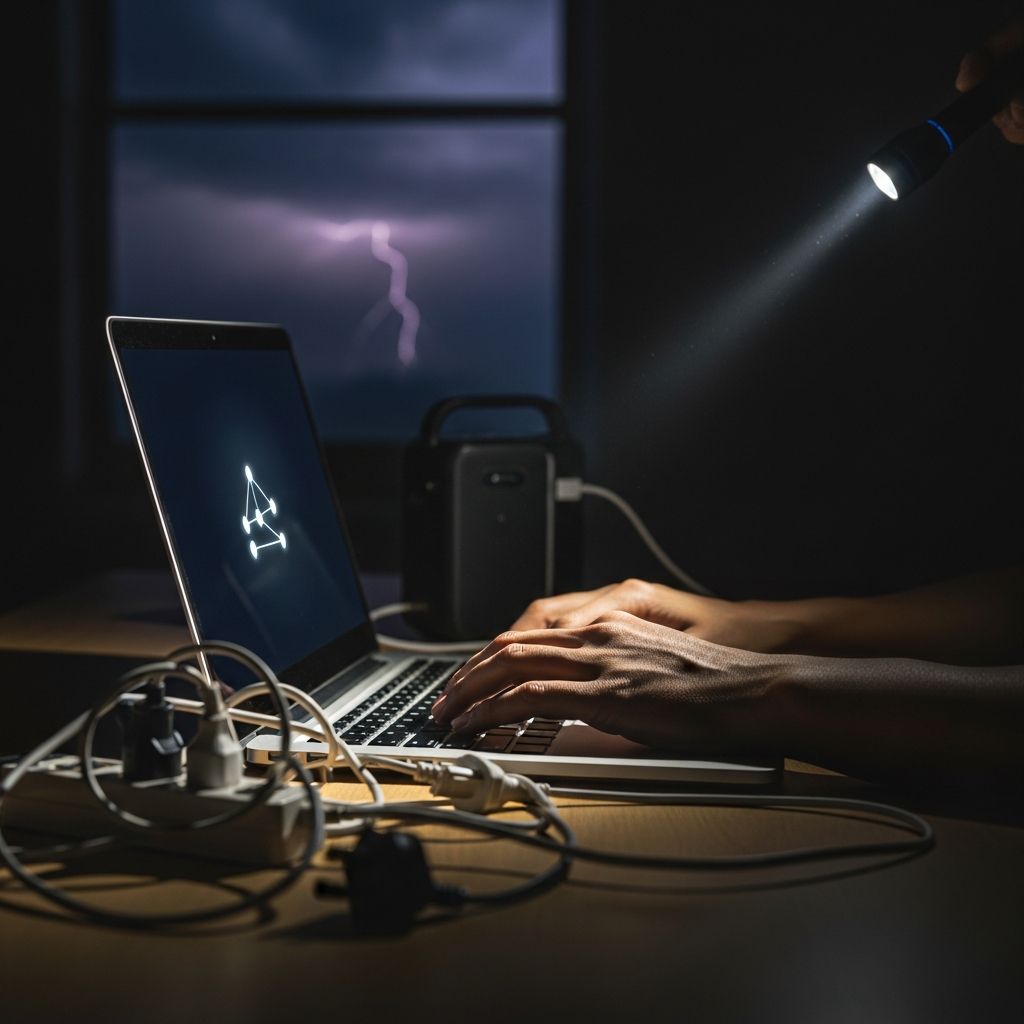
When electricity suddenly cuts out, one of the first casualties is often your home internet. Modems, routers, and access points all rely on steady power, leaving you isolated from work emails, streaming services, or vital updates. But with the right preparation and tools, you can bridge the gap and remain connected. This guide explores practical, tested approaches to sustaining WiFi and data access amid blackouts, drawing from real-world scenarios and expert-recommended setups.
Why Power Failures Kill Your Connection
Most residential internet setups depend on electronic equipment powered by your home’s grid. Cable modems, fiber ONTs (optical network terminals), DSL units, and wireless routers draw just a few watts but require constant electricity. During an outage, these devices shut down within seconds, severing your link to the ISP’s backbone—even if the service itself remains operational elsewhere.
Statistics from the U.S. Department of Energy highlight the frequency of such events: over 100 million outages impact households annually, often lasting hours or days in severe cases like storms or grid failures. Without intervention, you’re offline until restoration. Understanding this vulnerability is step one; proactive measures ensure continuity for remote work, online education, or emergency communications.
Power Backup Essentials for Network Gear
The simplest fix starts with uninterruptible power supplies (UPS) tailored for low-draw devices. These battery-backed systems kick in seamlessly, providing minutes to hours of runtime.
- Mini-UPS for Essentials: Compact models (300-600VA) support a modem and router combo, typically running 2-8 hours. Ideal for brief interruptions.
- Expanded UPS Units: Larger 1000VA+ options power additional gear like switches or extenders, extending usability to 4-12 hours.
Setup is straightforward: plug your network hardware into the UPS battery outlets (not surge-only ports), then connect the UPS to the wall. Test monthly by simulating a cutoff—your lights should stay on, and speeds should hold steady.
| UPS Capacity | Devices Supported | Runtime Estimate | Best For |
|---|---|---|---|
| 300-500VA | Modem + Router | 2-6 hours | Short blackouts |
| 600-1000VA | Modem, Router, Switch | 4-10 hours | Medium outages |
| 1500VA+ | Full network + extras | 8+ hours | Extended downtime |
For fiber users, prioritize the ONT alongside the router, as it converts the optical signal to Ethernet.
Portable Power Stations: Long-Term Reliability
For outages exceeding a day, portable power stations offer generator-like capacity without fuel hassles. These lithium-based units deliver 500-3000Wh, powering your setup for days while charging phones or laptops.
- Capacity Matching: A 1000Wh station runs a 15W router/modem pair for 40+ hours. Add solar panels for indefinite extension.
- Safety Features: Pure sine wave inverters prevent equipment damage, unlike cheap modified-sine alternatives.
Position the station centrally, connect via AC outlets, and monitor via apps for remaining charge. Brands like EcoFlow emphasize modularity—swap batteries for non-stop operation. Per FEMA guidelines, these are vital for resilience in hurricane-prone areas.
Mobile Hotspots: Cellular as a Lifeline
Independent of home power, cellular networks often persist through local blackouts. Leverage your smartphone or dedicated hotspot devices.
- Phone Tethering: Activate personal hotspot in settings (iOS: Settings > Personal Hotspot; Android: Network & Internet > Hotspot). Connect laptops via WiFi; expect 5-10GB daily limits on most plans.
- Dedicated Hotspots: Devices like Verizon Jetpack or AT&T Nighthawk provide stronger signals and multi-device support. Prepaid plans start at $30/month.
Pro Tip: Enable low-data mode and close background apps to stretch usage. Pair with a 20,000mAh power bank for 8-12 hours of extra runtime.
Hybrid Strategies for Maximum Uptime
Combine solutions for redundancy:
- UPS for instant failover + power station for extension.
- Home backup + public WiFi scouting (cafes, libraries) as tertiary.
- Pre-download critical files and use offline modes in apps like Google Maps or Office suites.
Backup passwords and ISP credentials in encrypted notes apps beforehand—outages amplify access frustrations.
Preparation Checklist Before the Next Storm
Don’t wait for crisis:
- Inventory power needs: Measure router/modem wattage with a meter.
- Stock cables, surge protectors, and extension cords.
- Upgrade data plans if hotspot-heavy.
- Install network monitoring apps for outage alerts.
Fiber, cable, or DSL? All benefit equally, but satellite (e.g., Starlink) shines with its self-powered dish option.
Common Pitfalls and Fixes
Battery Drain: Hotspots guzzle phone juice—use airplane mode on non-essential devices.
Overheating: Ventilate UPS/power stations; avoid enclosed spaces.
Data Caps: Monitor via carrier apps; switch to WiFi calling for voice.
In rural areas, signal boosters amplify cellular reach.
FAQs: Quick Answers on Outage Internet
Q: How long does a typical UPS last for WiFi?
A: 2-10 hours depending on capacity and load—perfect for most events under 4 hours.
Q: Can solar keep my router running indefinitely?
A: Yes, with a 100-200W panel and 1kWh station, daily recharge covers essentials.
Q: Is public WiFi safe during outages?
A: Use VPNs like ExpressVPN; avoid banking or sensitive logins.
Q: What about whole-home generators?
A: Excellent for comprehensive coverage but costly ($5K+); auto-start models integrate seamlessly.
Q: Does 5G change anything?
A: Faster hotspots, but same power rules apply to your device.
Future-Proofing Your Setup
Emerging tech like mesh systems with battery packs or ISP-provided UPS rentals promises easier resilience. Smart homes add complexity—prioritize hubs powering IoT. By layering defenses, blackouts become minor inconveniences, not catastrophes. Invest now for peace tomorrow.
References
- Electric Disturbance Events Annual Summaries — U.S. Energy Information Administration. 2023-12-01. https://www.eia.gov/electricity/gridmonitor/dashboard/electricityreliability/
- Power Outage Preparedness — Federal Emergency Management Agency (FEMA). 2024-06-15. https://www.fema.gov/emergency-managers/risk-management/power-outages
- Does Fiber Optic Internet Work During Power Outages? — GloFiber Official Blog. 2024-03-20. https://www.glofiber.com/en/blog/fiber-internet-during-power-outages
- Keep WiFi On During Power Outages — EcoFlow US Blog. 2024-05-10. https://www.ecoflow.com/us/blog/keep-wifi-on-power-outages
- Residential Power Outage Statistics — U.S. Department of Energy, Office of Electricity. 2023-11-15. https://www.energy.gov/oe/electricity-reliability
Similar Articles







Read full bio of medha deb