Smartphone Longevity: Essential Maintenance Practices
Discover practical strategies to extend your phone's lifespan and performance.
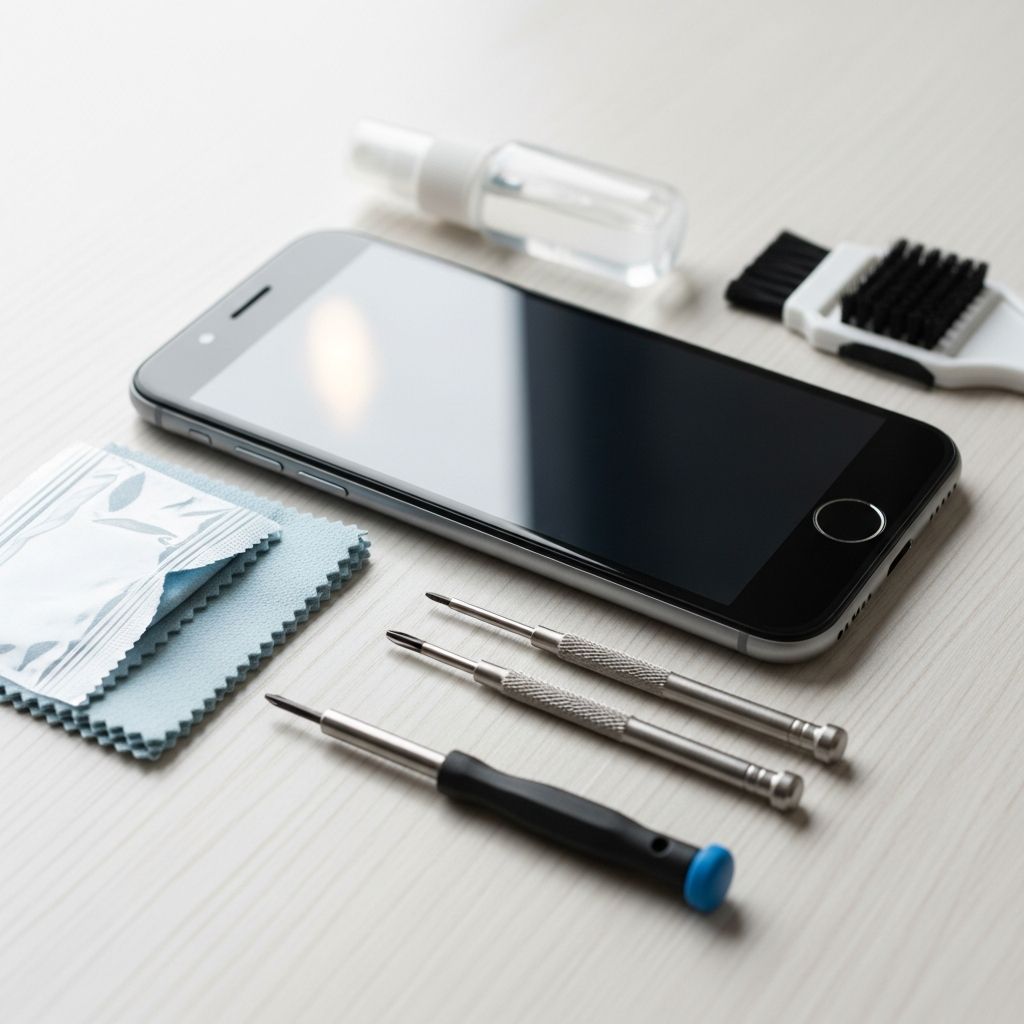
In today’s digital landscape, smartphones represent significant investments for most consumers. These sophisticated devices serve as our communication hubs, productivity tools, and entertainment platforms. However, many users neglect the fundamental maintenance practices that could substantially extend their device’s functional life and preserve performance quality. This comprehensive guide explores practical strategies to protect your smartphone investment and maintain its capabilities over time.
Understanding the Impact of Regular Device Care
Modern smartphones are engineering marvels containing thousands of delicate components working in harmony. Each interaction, from charging cycles to exposure to environmental factors, influences the device’s long-term functionality. When consumers understand how daily habits affect their phones, they can make informed decisions that prevent premature degradation and costly repairs.
The correlation between consistent maintenance and device longevity cannot be overstated. A smartphone that receives proper care typically outperforms poorly maintained devices by several years. Moreover, well-maintained phones maintain higher resale values and require fewer repairs, making maintenance economically advantageous.
Physical Protection: Building a Defensive Strategy
One of the most straightforward yet frequently overlooked aspects of smartphone care involves physical protection. Accidental drops, impacts, and environmental exposure pose significant risks to device integrity. Implementing a comprehensive physical protection strategy should be the foundation of any maintenance regimen.
Selecting and Using Protective Cases
Protective cases serve as the first line of defense against physical damage. Quality cases absorb impact energy during drops, preventing direct stress on the device chassis and internal components. When choosing a case, prioritize models that offer:
- Shock absorption materials such as silicone, TPU, or specialized polymers
- Raised bezels around the screen and camera to prevent direct surface contact
- Lightweight design that doesn’t add excessive bulk
- Precise port and button cutouts that maintain device accessibility
- Ventilation channels to prevent heat accumulation
Beyond selecting an appropriate case, users must maintain consistent usage habits. Removing the case occasionally allows for inspection of the underlying device and permits thermal dissipation. Additionally, cleaning the case regularly prevents debris accumulation that could scratch the phone when the case is removed.
Screen Protection Technology
Display damage represents one of the most common and costly smartphone injuries. Modern screens use advanced glass compositions, yet they remain vulnerable to scratches and impact fractures. Screen protectors provide transparent barriers that shield the display while preserving touch sensitivity and visual clarity.
Contemporary screen protectors offer varying levels of protection and materials. Tempered glass protectors deliver superior impact resistance compared to plastic alternatives, though they generally cost more. When applying a screen protector, ensure proper installation to avoid air bubbles and dust particles that compromise clarity and can accelerate wear patterns.
Beyond traditional protectors, users should develop careful handling practices. Avoid placing phones face-down on hard surfaces, and store devices in designated compartments rather than pockets alongside keys or coins that could scratch the display.
Battery Management: Maximizing Energy Storage Performance
The battery represents the smartphone’s most critical component and typically shows the first signs of degradation with age. Modern lithium-ion batteries demonstrate predictable degradation patterns, yet proper charging practices can substantially slow this process. Strategic battery management extends both daily performance and overall device lifespan.
Optimal Charging Practices
Contrary to common assumptions, charging a phone to one hundred percent capacity every cycle accelerates battery aging. Lithium-ion batteries experience stress at extreme charge levels. Research consistently demonstrates that maintaining battery charge between twenty and eighty percent significantly extends battery longevity.
Many modern smartphones incorporate intelligent charging features that automatically slow charging speed as the battery approaches full capacity. Users should enable these optimization features when available, as they provide passive protection without requiring behavioral modifications.
Overnight charging presents another common practice that degrades battery health. When devices remain plugged in after reaching full capacity, the battery cycles between one hundred and ninety-five percent, creating cumulative stress. Unplugging devices upon reaching full charge, or using scheduled charging features available on modern platforms, prevents this unnecessary wear.
Temperature Management
Temperature represents one of the most significant environmental factors affecting battery performance and longevity. Excessive heat accelerates chemical reactions within the battery, promoting internal degradation. Conversely, extreme cold temporarily reduces battery efficiency and can cause permanent damage with repeated exposure.
Ideal smartphone operating temperatures range between 32 and 95 degrees Fahrenheit (0 to 35 degrees Celsius), with room temperature approximating optimal conditions. Users should avoid exposing devices to direct sunlight for extended periods, particularly during warm months. Additionally, grouping multiple electronic devices closely together creates cumulative heat that reduces charging efficiency and stresses batteries.
During charging sessions, phones naturally generate heat. Removing protective cases during charging allows thermal dissipation and prevents temperature spikes. Charging in well-ventilated environments rather than under pillows or in enclosed spaces ensures adequate airflow.
Battery Cycling Awareness
Complete discharge cycles, where batteries drain to zero percent, create internal stress that accelerates degradation. When batteries reach dangerously low levels, internal chemical reactions can cause permanent damage that reduces maximum capacity. Developing habits that maintain minimum charge levels—ideally above twenty percent—prevents this damage accumulation.
Conversely, leaving devices plugged in continuously for extended periods, particularly if already at full capacity, creates stagnant charge states that degrade battery chemistry. Intermittent usage patterns with regular discharge and recharge cycles, within the healthy twenty to eighty percent range, maintain battery vitality.
Software Optimization: Maintaining System Performance
While hardware protection addresses physical concerns, software maintenance ensures optimal operational performance. Operating systems evolve through regular updates that introduce new features, resolve security vulnerabilities, and improve efficiency. Maintaining current software versions directly impacts device longevity and user experience.
Update Implementation Strategy
Developers release software updates addressing security threats that could compromise personal data or device functionality. Delaying updates leaves phones vulnerable to exploits and malicious applications. Beyond security, updates typically include performance optimizations and bug fixes that resolve existing operational issues.
Users should establish a routine for checking and installing available updates. Most devices offer automatic update features that can be configured to install updates during low-usage periods, such as overnight hours. Setting devices to automatically update ensures protection without requiring constant manual attention.
Storage Management
Excessive data accumulation reduces available storage, forcing the operating system to dedicate resources to managing limited space. This constraint degrades operational speed and can cause system instability. Regular storage audits and deliberate deletion of unnecessary files maintain operational efficiency.
Applications represent primary storage consumers. Periodically reviewing installed applications and removing unused programs frees substantial storage space. Additionally, clearing application caches removes temporary data accumulated during normal use, further optimizing available storage.
Media files, particularly photos and videos, consume significant storage capacity. Users should implement regular backup procedures for important media before deletion. Cloud storage services offer convenient backup solutions while liberating local storage for daily operations.
Performance Maintenance Practices
Periodic device restarts clear temporary files and refresh system processes, similar to restarting a computer. This simple procedure resolves many performance issues without requiring technical expertise. Scheduling regular restarts, perhaps weekly, maintains smooth operation and prevents gradual performance degradation.
Background applications consume processing power and battery resources even when users aren’t actively using them. Reviewing background activity settings and disabling unnecessary permissions for applications reduces system load and extends battery life. Most modern systems provide granular permission controls allowing users to restrict specific application behaviors.
Physical Cleaning and Maintenance
Dust, dirt, and environmental debris accumulate on phone surfaces and gradually migrate into ports, speakers, and crevices. This accumulation affects both aesthetic appearance and functional performance. Regular cleaning prevents debris-related issues while maintaining the device’s visual appeal.
Safe Cleaning Techniques
Microfiber cloths provide ideal cleaning tools for phone surfaces, effectively removing fingerprints and smudges without scratching. These specialized cloths prevent the microscopic scratching that results from using paper towels or shirt fabric. For stubborn residue, slightly dampening the microfiber cloth with distilled water provides cleaning power without introducing contaminants.
Harsh chemical cleaners, including bleach-based products and acetone solvents, damage screen protective coatings and device materials. When using cleaning products, apply them to the cloth rather than directly to the device, preventing liquid from entering sensitive openings. Isopropyl alcohol, when diluted appropriately, provides effective cleaning without damaging device components.
Port and Speaker Maintenance
Charging ports and audio components accumulate lint, dust, and debris during normal use. This accumulation can interfere with charging efficiency or audio quality. Careful removal of visible debris using soft tools—such as soft brushes or compressed air—restores functionality without risk of component damage.
Avoid inserting sharp metallic objects into ports, as metal can conduct electricity and damage internal circuits. Similarly, moisture represents a significant threat to port functionality, even on water-resistant devices. If liquid enters ports, allow devices to dry completely in well-ventilated environments before attempting to use affected components.
Frequently Asked Questions About Smartphone Care
How often should I clean my phone?
Daily light cleaning with a microfiber cloth maintains appearance and prevents debris accumulation. More thorough cleaning, including port attention, should occur weekly or as needed based on usage environments.
Is it safe to use third-party chargers?
Third-party chargers vary significantly in quality and safety. Using chargers certified by device manufacturers or reputable third-party manufacturers ensures appropriate voltage and current delivery, preventing damage to battery and internal circuits.
What battery percentage should I target?
Maintaining battery charge between twenty and eighty percent optimizes longevity. If devices are regularly charged to one hundred percent, enabling optimized battery charging features substantially reduces related stress.
Do protective cases affect phone performance?
Quality cases minimally impact performance while substantially protecting against damage. Remove cases occasionally to prevent heat accumulation and allow thorough cleaning of the underlying device.
Summary: Building Sustainable Device Care Habits
Smartphone longevity results from consistent implementation of practical maintenance strategies rather than dramatic interventions. Physical protection through cases and screen protectors, strategic battery management, software optimization, and regular cleaning collectively preserve device functionality and extend usable lifespan.
These practices require minimal time investment yet deliver substantial long-term value through extended device life, reduced repair costs, and maintained performance quality. By understanding how daily habits affect smartphone health, users can make informed decisions that optimize their technology investments.
References
- Lithium-Ion Battery Safety — National Highway Traffic Safety Administration (NHTSA), U.S. Department of Transportation. 2023. https://www.nhtsa.gov/
- Best Practices for Mobile Device Management — International Organization for Standardization (ISO). Technical Committee 35. 2024. https://www.iso.org/
- Environmental and Operating Parameters for Consumer Electronics — Institute of Electrical and Electronics Engineers (IEEE). Standards Association. 2023. https://standards.ieee.org/
- Battery Health and Longevity Research — Massachusetts Institute of Technology (MIT) Department of Materials Science and Engineering. 2024. https://dmse.mit.edu/
- Digital Device Care and Maintenance Guidelines — Consumer Technology Association. 2023. https://www.cta.tech/
Similar Articles







Read full bio of medha deb