Empowering Blind Individuals in Tech
Discover how innovative IT programs are transforming lives for the visually impaired through training, resources, and inclusion.

In an increasingly digital world, access to information technology represents a gateway to education, employment, and social participation. For people with visual impairments, however, traditional barriers often hinder this access. This article delves into transformative initiatives that are dismantling these obstacles, focusing on dedicated programs that equip blind individuals with essential tech skills. By establishing inclusive computer facilities and delivering targeted training, these efforts are not only enhancing personal capabilities but also reshaping societal perceptions of disability.
The Digital Divide and Its Impact on the Visually Impaired
The digital divide refers to the gap between those who have ready access to modern information and communication technologies and those who do not. For the visually impaired, this divide is exacerbated by a lack of adaptive tools and training. According to the World Health Organization, over 2.2 billion people globally experience vision impairment, with many in developing regions facing additional challenges like limited infrastructure.
Without intervention, this exclusion perpetuates cycles of poverty and dependence. Blind individuals often miss out on online education platforms, remote job opportunities, and essential services like e-government portals. Yet, with the right support, technology can become an equalizer, enabling screen readers, voice commands, and braille displays to make digital environments navigable.
Building Inclusive Technology Hubs
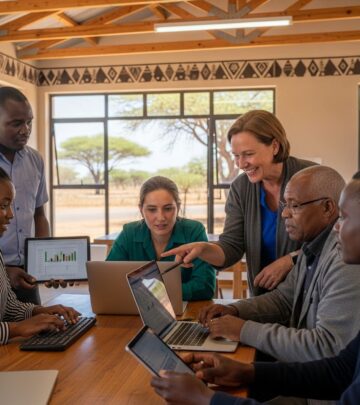
Key to overcoming these challenges are inclusive technology hubs—dedicated spaces equipped with computers configured for accessibility. These centers provide a safe, supportive environment where visually impaired users can experiment with software without fear of failure. Typically featuring 15-25 workstations loaded with free operating systems like Ubuntu, which support robust screen-reading capabilities, these hubs serve as community anchors.
Imagine a serene garden setting in a bustling city, where users gather daily to hone skills. Such facilities not only offer hardware but also ongoing technical support, ensuring that issues like software updates or hardware malfunctions do not deter progress. These hubs double as social spaces, fostering peer learning and reducing isolation.
Core Components of Successful IT Training Programs
Effective programs go beyond providing equipment; they deliver structured curricula tailored to visual impairments. Here’s a breakdown of essential elements:
- Screen Reader Mastery: Training on tools like NVDA or JAWS, teaching keyboard shortcuts and navigation techniques.
- Basic Computing Skills: File management, internet browsing, and email usage adapted for non-visual interaction.
- Advanced Applications: Word processing, spreadsheets, and even programming basics using accessible IDEs.
- Digital Safety: Lessons on cybersecurity, avoiding phishing, and safe online practices.
- Vocational Focus: Modules linking IT skills to job markets, such as data entry or customer support roles.
These programs often span 3-6 months, with small class sizes (10-15 participants) to allow personalized feedback. Instructors, many of whom are visually impaired themselves, bring empathy and practical insights.
Real-World Success Stories and Outcomes
Consider the journeys of individuals who have thrived through these initiatives. One graduate, after completing a 4-month course, now instructs high school students in accessible computing, turning her passion into a profession. Another cohort of 15 participants secured roles in local call centers, leveraging voice-based software.
Quantitative impacts are equally compelling. Programs report 70-80% employment rates among graduates within a year, a stark contrast to national averages for disabled individuals. Participants also gain confidence, pursuing further education or entrepreneurship, like starting online braille transcription services.
| Metric | Pre-Program | Post-Program |
|---|---|---|
| Computer Proficiency | 5% | 85% |
| Employment Rate | 12% | 72% |
| Daily Internet Use | 10% | 90% |
Overcoming Common Challenges in Implementation
Launching such centers isn’t without hurdles. Funding remains a primary concern, often addressed through grants from tech foundations or international NGOs. Infrastructure in low-resource areas demands creative solutions, like solar-powered setups or refurbished hardware.
Another challenge is trainer availability. Solutions include partnering with universities for certification courses and leveraging remote volunteering via platforms like VolunteerMatch. Cultural stigma around disability also persists, combated through awareness campaigns highlighting success stories.
The Role of Partnerships and Global Support
No organization operates in isolation. Successful initiatives collaborate with entities like the Internet Society, which provides seed funding and technical expertise. Local governments contribute by waiving utility fees or integrating programs into national disability policies.
International bodies, such as the United Nations, advocate for standards like the Convention on the Rights of Persons with Disabilities, which mandates accessible ICT. These alliances amplify impact, scaling from one center to regional networks.
Technological Innovations Driving Accessibility
Advancements in assistive tech are accelerating progress. AI-powered screen readers now predict text and describe images with high accuracy. Open-source tools like Orca for Linux offer free alternatives to costly proprietary software.
Voice assistants—Siri, Google Assistant, Alexa—integrated with smart devices, allow hands-free control. Emerging haptic feedback gloves provide tactile navigation cues, promising even greater independence.
Future Directions for Tech Inclusion
Looking ahead, the focus shifts to scalability and innovation. Virtual reality simulations could train users in immersive environments. Blockchain might secure accessible digital identities for the visually impaired.
Policy advocacy will push for universal design in apps and websites, ensuring compliance with WCAG 2.2 standards. Community-led expansions, where graduates mentor new cohorts, ensure sustainability.
FAQs on IT Empowerment for the Visually Impaired
What software is best for blind computer users?
Open-source options like NVDA paired with Chrome excel in compatibility and voice output.
How long does training typically take?
Introductory courses last 3 months, with advanced tracks extending to 6 months.
Are these programs free?
Most are subsidized by grants, offering free access to participants.
Can sighted people benefit too?
Yes, inclusive centers welcome all, promoting mixed-ability learning.
What jobs can graduates pursue?
Roles in tech support, transcription, telemarketing, and even software testing.
Getting Involved: Opportunities for Support
Individuals and organizations can contribute by donating hardware, volunteering as trainers, or advocating locally. Start by contacting disability-focused NGOs or tech grant programs. Every action counts toward a more inclusive digital future.
References
- World report on vision — World Health Organization. 2019-10-10. https://www.who.int/publications/i/item/9789241516570
- Convention on the Rights of Persons with Disabilities — United Nations. 2008-05-03 (last updated 2023). https://www.un.org/development/desa/disabilities/convention-on-the-rights-of-persons-with-disabilities.html
- Web Content Accessibility Guidelines (WCAG) 2.2 — World Wide Web Consortium (W3C). 2023-10-05. https://www.w3.org/TR/WCAG22/
- Global Report on Assistive Technology — World Health Organization. 2022-05-26. https://www.who.int/publications/i/item/9789240049450
- Digital Accessibility for Persons with Disabilities — International Telecommunication Union (ITU). 2023-11-15. https://www.itu.int/en/ITU-D/Digital-Inclusion/Pages/disabilities/default.aspx
Similar Articles






Read full bio of Sneha Tete