BlackBerry Blend’s IPv6 Requirement
Discover why BlackBerry's innovative Blend app demands IPv6 support and how it shapes modern device integration.

BlackBerry Blend marked a pivotal moment in mobile-desktop integration when it launched alongside the Passport smartphone. This application promised users a unified experience across devices, allowing seamless access to notifications, messages, and files from a computer. However, its reliance on IPv6 networking introduced unique challenges and highlighted the growing importance of next-generation internet protocols in consumer tech.
The Evolution of Cross-Device Connectivity
Before Blend, syncing data between smartphones and computers often involved clunky cables, cloud services, or third-party apps with limited functionality. BlackBerry aimed to change that by creating a solution that felt native and instantaneous. Blend connects BlackBerry devices to Windows or Mac desktops over local Wi-Fi, bridging the gap without needing internet access for the core link.
This local network approach ensures low latency, making it ideal for real-time tasks like replying to emails or managing calendars directly from your laptop. Yet, the app’s design choices, particularly around IPv6, set it apart from competitors like Apple’s Continuity or Microsoft’s Phone Link, which handle protocol transitions differently.
Understanding IPv6 in Everyday Tech
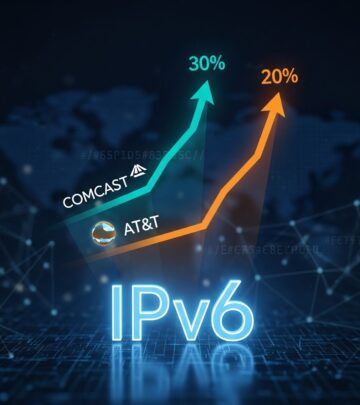
IPv6, the successor to IPv4, addresses the exhaustion of IP addresses in the original protocol. With 128-bit addresses, it supports billions of devices, essential for the Internet of Things era. According to the Internet Society’s Deploy360, global IPv6 adoption reached over 40% by 2024, driven by mobile carriers and content providers.
For Blend, IPv6 isn’t just about addressing; it’s integral to the communication stack. The app uses IPv6 packets for initial handshakes and data tunneling between the phone and desktop client. Even in IPv4-only environments, the software generates IPv6 traffic, which must be permitted by the host machine’s network stack.
- IPv6 enables direct peer-to-peer communication without NAT complications.
- It supports robust tunneling mechanisms for secure local transfers.
- Adoption stats: 35% of Google traffic is IPv6 as of 2023 (Google IPv6 Statistics).
How BlackBerry Blend Leverages IPv6 Tunneling
Blend’s architecture involves the desktop client sending IPv6-sourced packets to the phone’s BlackBerry components. These components translate to IPv4 for onward transmission if needed. This dual-stack method ensures compatibility while prioritizing modern protocols. Certificates embedded in the app facilitate encrypted IPv6 tunnels over USB or Wi-Fi, protecting data in transit.
Imagine leaving your phone in another room; Blend lets you access it via your computer as if it were connected directly. This magic relies on IPv6’s ability to handle multiple interfaces seamlessly. In practice, the phone doesn’t require a public IPv6 address—local link-local addresses suffice for the Wi-Fi handshake.
| Feature | IPv4 Behavior | IPv6 Behavior |
|---|---|---|
| Connection Initiation | Possible but unstable | Stable, direct tunneling |
| Data Sync Speed | Variable due to NAT | Consistent, low-latency |
| Firewall Compatibility | Often blocked | Requires explicit allow |
| Device Discovery | Manual or broadcast | Automatic via multicast |
This table illustrates why IPv6 is non-negotiable for Blend’s full feature set.
Common Hurdles in IPv6-Enabled Environments
Not all networks welcome IPv6. Enterprise IT admins often disable it via Group Policy to avoid complexity, while home users might toggle it off unknowingly. When Blend fails to connect, symptoms include endless loading spinners or ‘device not found’ errors.
Anti-virus software, VPNs, and firewalls frequently intercept IPv6 traffic mistaking it for anomalies. For instance, some VPN clients route only IPv4, dropping IPv6 packets. The resolution? Enable IPv6 in Windows Network Adapter settings or macOS System Preferences.
- Check adapter properties: Right-click Network Connections > Properties > Enable IPv6.
- Disable interfering software temporarily to test.
- Verify both devices on the same subnet.
- Update Blend and device OS for latest protocol fixes.
Enterprise Implications and Deployment Strategies
In corporate settings, Blend’s IPv6 mandate forces a reckoning with legacy infrastructure. Many firms still run pure IPv4 cores, per RIPE NCC’s IPv6 deployment report (2023), which notes only 25% full enterprise adoption. IT teams must weigh enabling IPv6 against security risks like exposed services.
Strategies include dual-stack configurations, where IPv6 coexists with IPv4, or 6to4 tunneling for gradual migration. BlackBerry’s support docs emphasize allowing IPv6 loopback traffic, a minimal change for most admins. Forward-thinking orgs view this as a catalyst for broader IPv6 readiness, future-proofing against protocol sunset.
Comparing Blend to Modern Alternatives
Fast-forward to 2026: Samsung DeX, Apple’s Universal Control, and KDE Connect have evolved cross-device paradigms. DeX uses WebUSB over IPv4/IPv6 hybrid, while Universal Control leverages Bluetooth Low Energy for discovery before IP handover. Blend’s IPv6 purity was ahead of its time but rigid.
Yet, Blend excelled in privacy—no cloud relay means data stays local. Modern apps often route through servers for ‘anywhere’ access, trading latency for convenience. Users prioritizing security still seek Blend-like solutions.
Troubleshooting Guide: Step-by-Step Fixes
Persistent issues? Dive deeper:
- Windows Specific: Run
netsh interface ipv6 show addressto confirm stack activation. - Mac Specific: Terminal:
ifconfig | grep inet6for link-local IPs. - Firewall Rules: Add exceptions for Blend.exe UDP ports 31001-31010.
- USB Mode: Switch to PTP if Wi-Fi fails; IPv6 tunnels differently.
For advanced diagnostics, tools like Wireshark capture IPv6 packets, revealing blocks at layer 3.
Future of Protocol-Dependent Apps
Blend’s story underscores a shift: apps assuming IPv6 availability. With 5G/6G mandating dual-stack (3GPP Release 18 specs, 2024), developers follow suit. BlackBerry’s choice accelerated user exposure to IPv6, demystifying it.
Today, disabling IPv6 hampers not just Blend but streaming, gaming, and IoT. As IPv4 fades, such dependencies normalize, pushing ecosystems forward.
FAQs
Q: Does Blend require internet IPv6 connectivity?
A: No, only local IPv6 packet allowance on the desktop.
Q: Can I use Blend on IPv4-only networks?
A: Only if IPv6 is enabled in the OS stack, even without routing.
Q: Why choose IPv6 for local Wi-Fi?
A: It simplifies addressing, avoids NAT, and enables efficient multicasting.
Q: Is Blend still supported in 2026?
A: Legacy support via BlackBerry UEM; alternatives recommended for new setups.
Q: How to test IPv6 for Blend?
A: Use test-ipv6.com on desktop; ensure ‘connected’ status.
References
- IPv6 Deployment Status — Internet Society Deploy360. 2024-01-15. https://www.internetsociety.org/deploy360/ipv6/
- IPv6 Statistics — Google. 2023-12-01. https://www.google.com/intl/en/ipv6/statistics.html
- IPv6 Security Considerations — RIPE NCC. 2023-06-20. https://www.ripe.net/publications/docs/ripe-759
- 5G System; Network Improvements — 3GPP. 2024-03-22. https://www.3gpp.org/specifications-technologies
Similar Articles








Read full bio of medha deb